Ethiopia - Garmin and Mobile Phone GPS Map Downloads
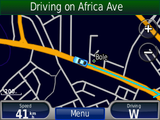
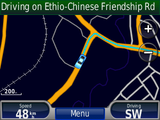
Buy now
By paying for the download you support the creating of Ethiopian maps. You will receive a download link that is also valid for all future updates.
Exclusive: Contains more than 1500 additional points of interest.
Limited time offer: Now 25% discount!

Garmin Navigation Devices
Last updates
11. Feb 2016 - New and more detailed street data, new POIs data and improved routing17. Feb 2015 - Newes and more detailed data, New POIs, Major Road Network updates
05. Jan 2015 - Newest data
14. Mar 2013 - Newest data, more detailed
22. Jan 2012 - Newest data, made roads in Garmin visible on lower zoomlevel, included unclassified roads
03. Dec 2011 - New download area with the current data created
21. Apr 2012 - New POIs added and now most POIs and roads contain more details
20. June 2012 - New POIs added and now most POIs and roads contain more details
00. Nov 2012 - New POIs added and now most POIs and roads contain more details
Downloads
The Garmin map is available in two formats. It contains the roads of Ethiopia as well as Addis Ababa with lots of POIs collected by AddisMap that are not available in other maps.Garmin GMAPSUPP Image
This file is meant for a Garmin device that is recognized as a USB drive.
It works for all operating systems (Windows, Linux, MacOS) but only for supported (newer) Garmin devices.
- Connect your Garmin device via USB to your computer
- Open your file explorer
- There should be a new drive for your Garmin device (if there is no drive, use the Mapsource Installer below)
- Copy the file gmapsupp.img to the folder "Garmin" of your device
- Safely remove the device
AddisMap Installer for Garmin Mapsource
This steps work only on Microsoft Windows, starting from Windows XP Service Pack 3. If you do not yet have the Mapsource software install it first as described below. After Mapsource was installed you need to do the following steps:- Start the AddisMap.exe and follow the steps for the installation
- Open Mapsource
- On the top left there is a drop down box. Choose "AddisMap"
- In the menu click "Tools -> Map"
- Use the magnifier glass "-" to zoom out so you see full Ethiopia
- With the mouse drag a rectangle around the map of Ethiopia
- Connect the Garmin GPS device
- In the Menu click "Transfer > Send to Device"
Garmin Mapsource Installation
The Mapsource installer comes with commercial Garmin maps. If you do not have such a map yet, you can download the Mapsource update as well as the Training Center to get a base map. Follow these steps carefully:- You need a unzip software. We recommend the free 7zip. Get it at 7-zip.org and install it.
- Download the Training Center software that includes the basemap.
- Install the Training Center Software
- Download the Mapsource software.
- Right click on the .exe file and choose "Extract to folder"
- Open the extracted folder
- In the new folder double-click MSmain.msi
- Wait a moment
- Click setup.exe and follow the steps
Mobile Phone Map
Tested on the following phones- Nokia 6303 classic